ENTERPRISE ASSESSMENT PLATFORM

Secure Assessments. Smarter Hiring Decisions.

Run online assessments, monitor exam integrity, discover qualified candidates, manage enterprise access and turn performance data into faster hiring decisions.

Assessment Delivery

A clean test experience candidates understand instantly.

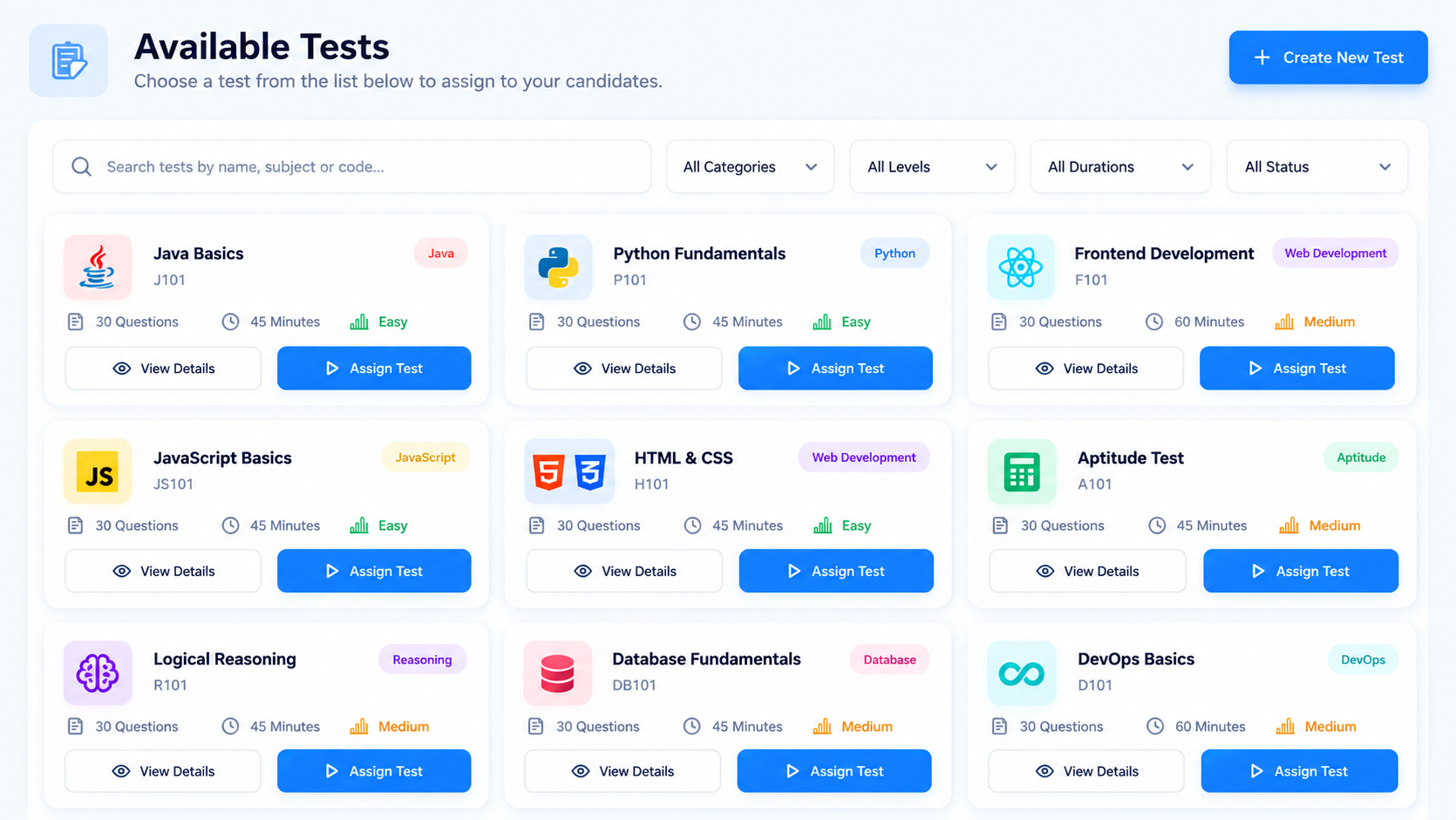
Candidates can find active tests, understand topic, duration and question count, then begin without unnecessary steps. The interface remains consistent from desktop to mobile.
  • Searchable assessment catalogue
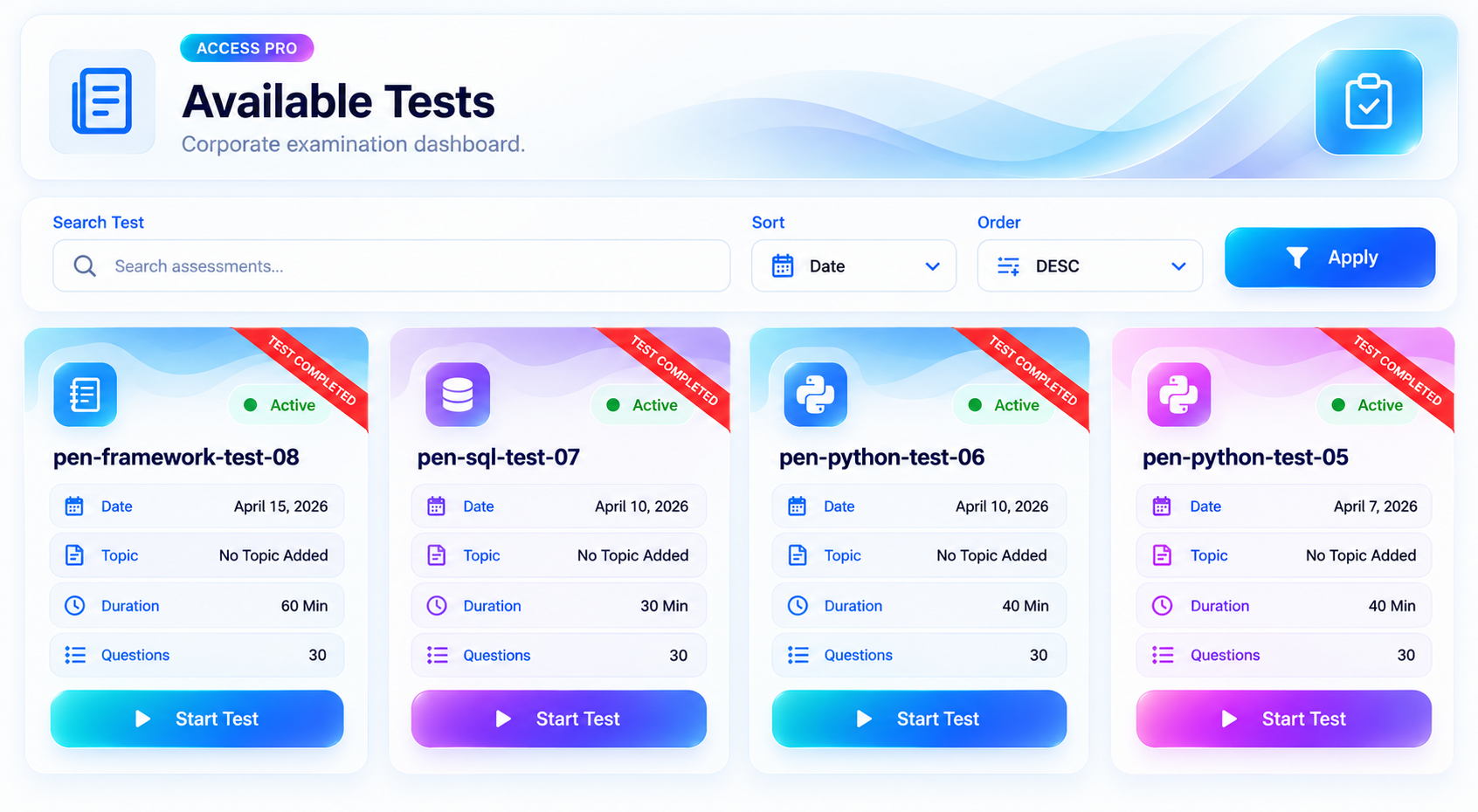
  • Active and completed test visibility
  • Clear test metadata before candidates begin
Designed to reduce candidate friction.
Available tests in AccessPro
Completed assessments in AccessPro
Assessment Lifecycle

Keep active and completed assessments organized.

Sort, search and review assessment history while preserving a clear candidate workflow. Completed tests remain visible without making the interface feel crowded.

  • Completion status directly on test cards
  • Sorting and ordering for larger test libraries
  • Consistent corporate UI across the platform
Candidate Discovery

Turn profiles into an actionable talent pool.

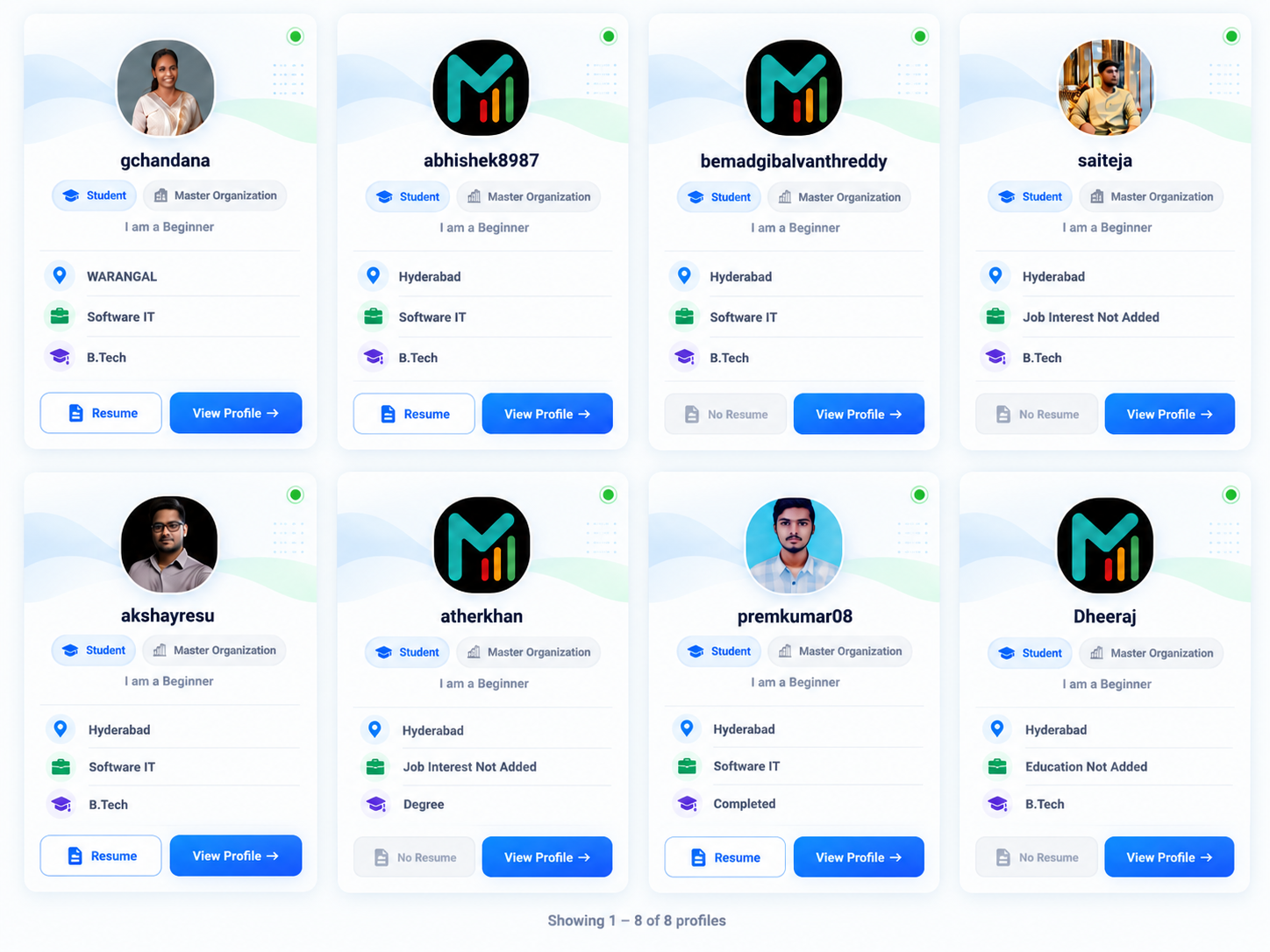
Review location, education, job interest, resume availability and profile details through a consistent candidate-card experience designed for quick comparison.
  • Profile and resume visibility
  • Clear candidate status and metadata
  • Fast profile comparison for recruiters
Candidate profiles in AccessPro
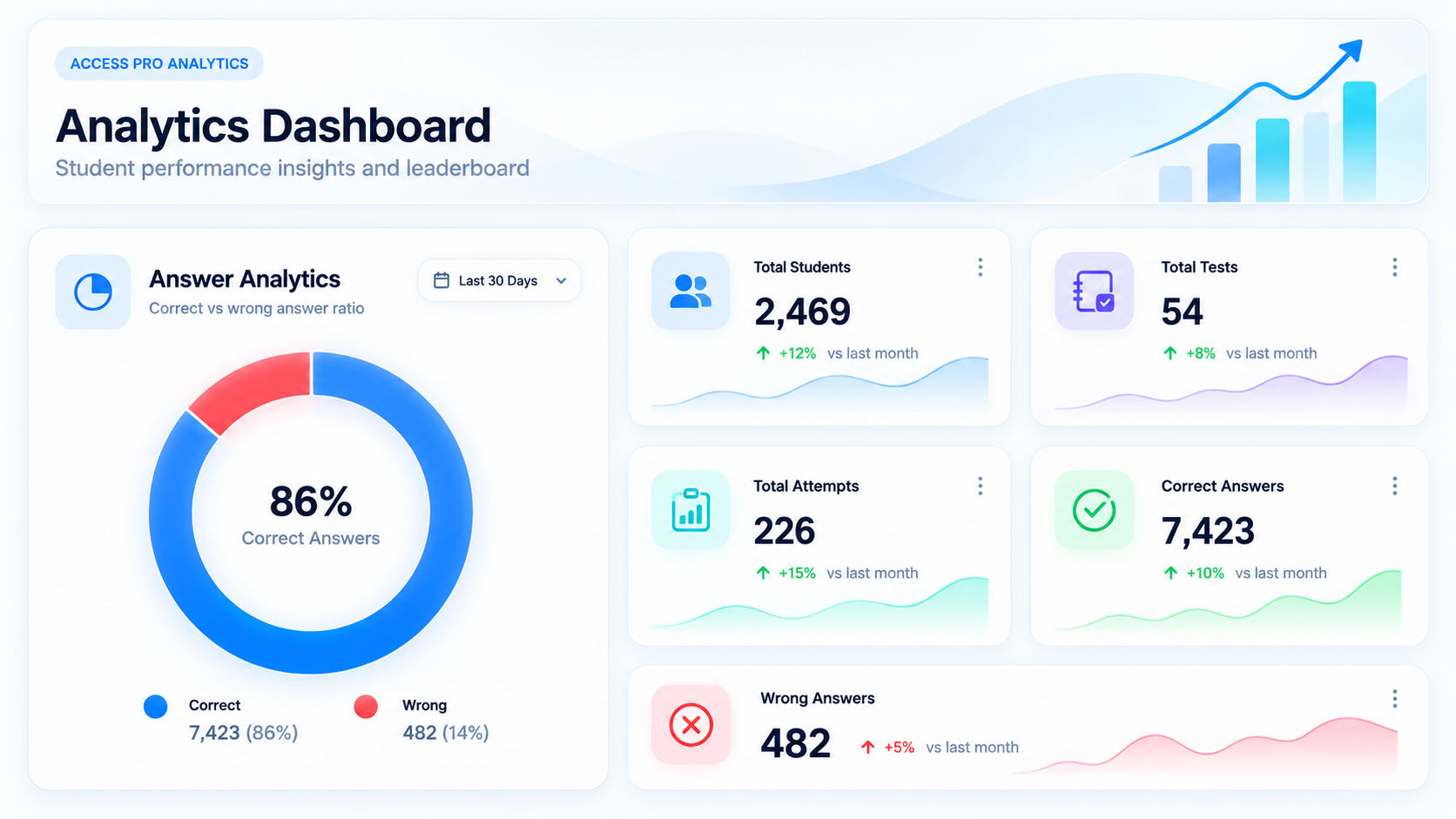
AccessPro analytics dashboard
Analytics

See performance without digging through raw data.

Management can understand students, tests, attempts and answer quality at a glance, helping teams move from assessment activity to decision-making faster.

  • Student and test-level metrics
  • Correct-vs-wrong answer analysis
  • Management-friendly summary dashboards
Results & Monitoring

Review scores and monitoring actions together.

Move directly from test results into candidate monitoring. Correct and incorrect answers remain visible alongside the actions reviewers need during assessment operations.
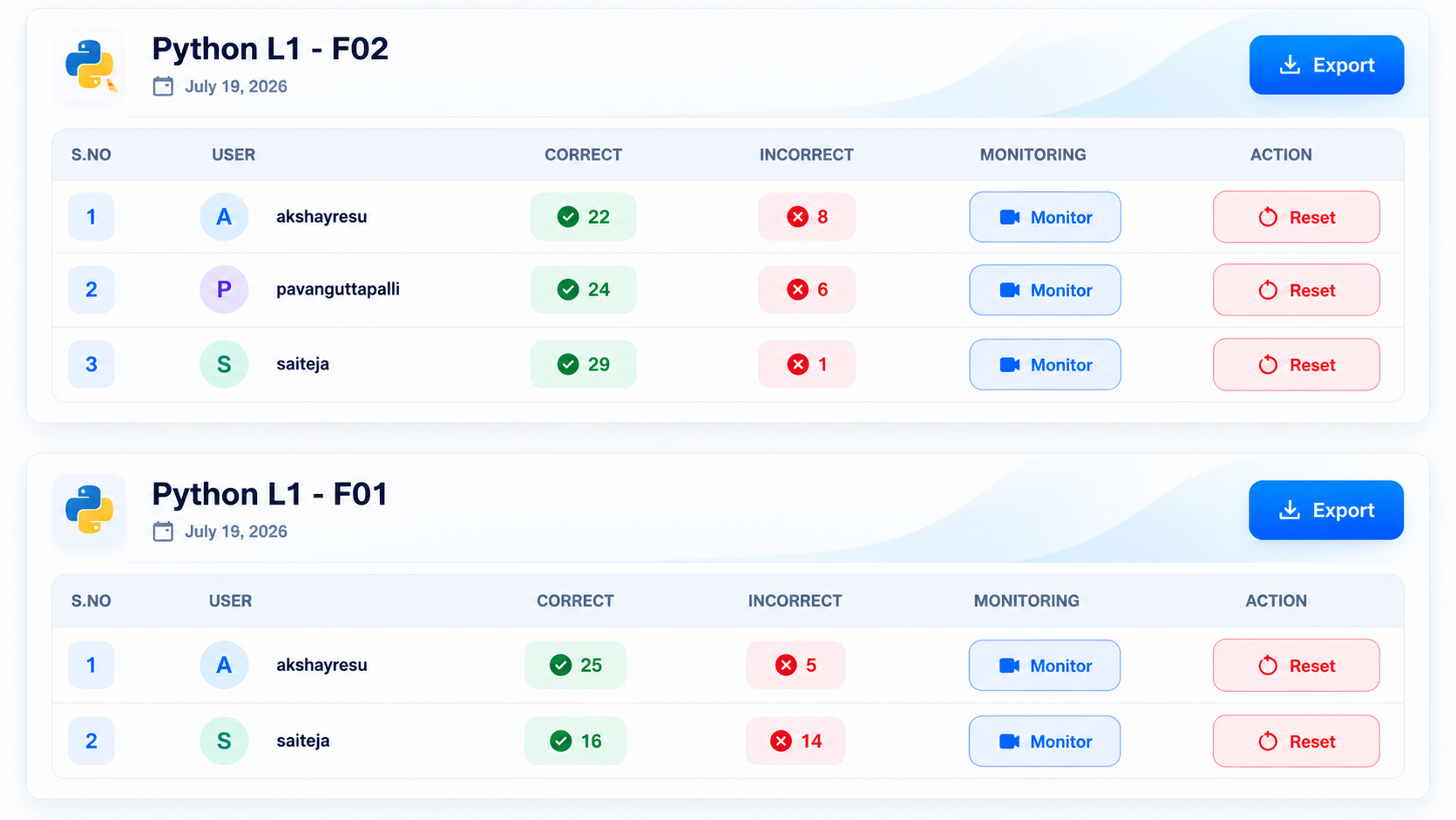
  • Candidate-by-candidate result review
  • Direct monitoring access
  • Export-ready test reporting
AccessPro assessment result monitoring
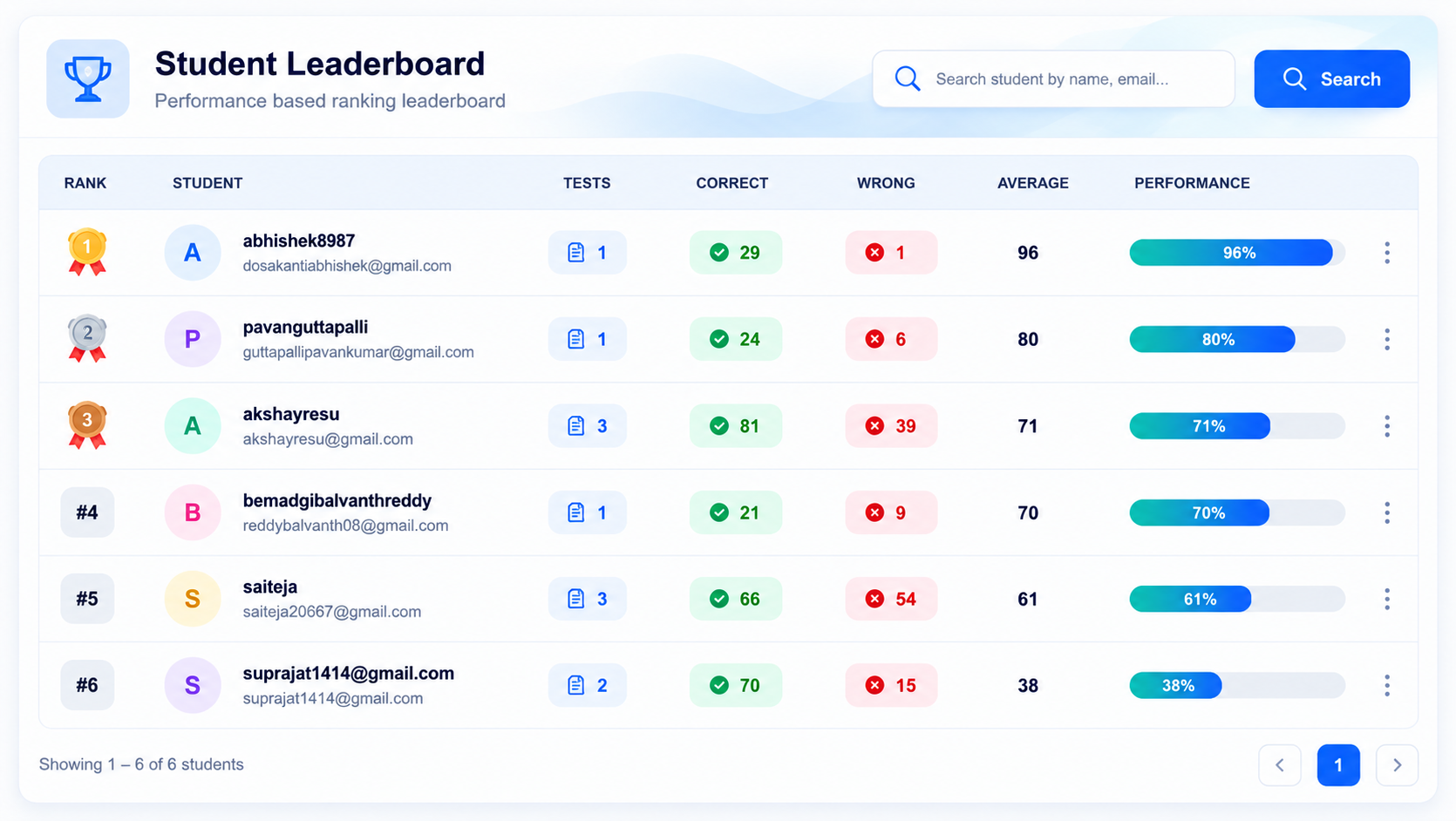
AccessPro student leaderboard
Performance Ranking

Surface stronger performers immediately.

Searchable leaderboards combine test counts, correct answers, wrong answers, average scores and visual performance percentages to simplify comparison.

  • Performance-based candidate ranking
  • Visual progress indicators
  • Searchable learner performance view
Assessment Administration

Manage every assessment week from one directory.

Centralize assessment weeks, company ownership, plan information, expiry and topic descriptions so operations teams can understand the catalogue without moving between screens.
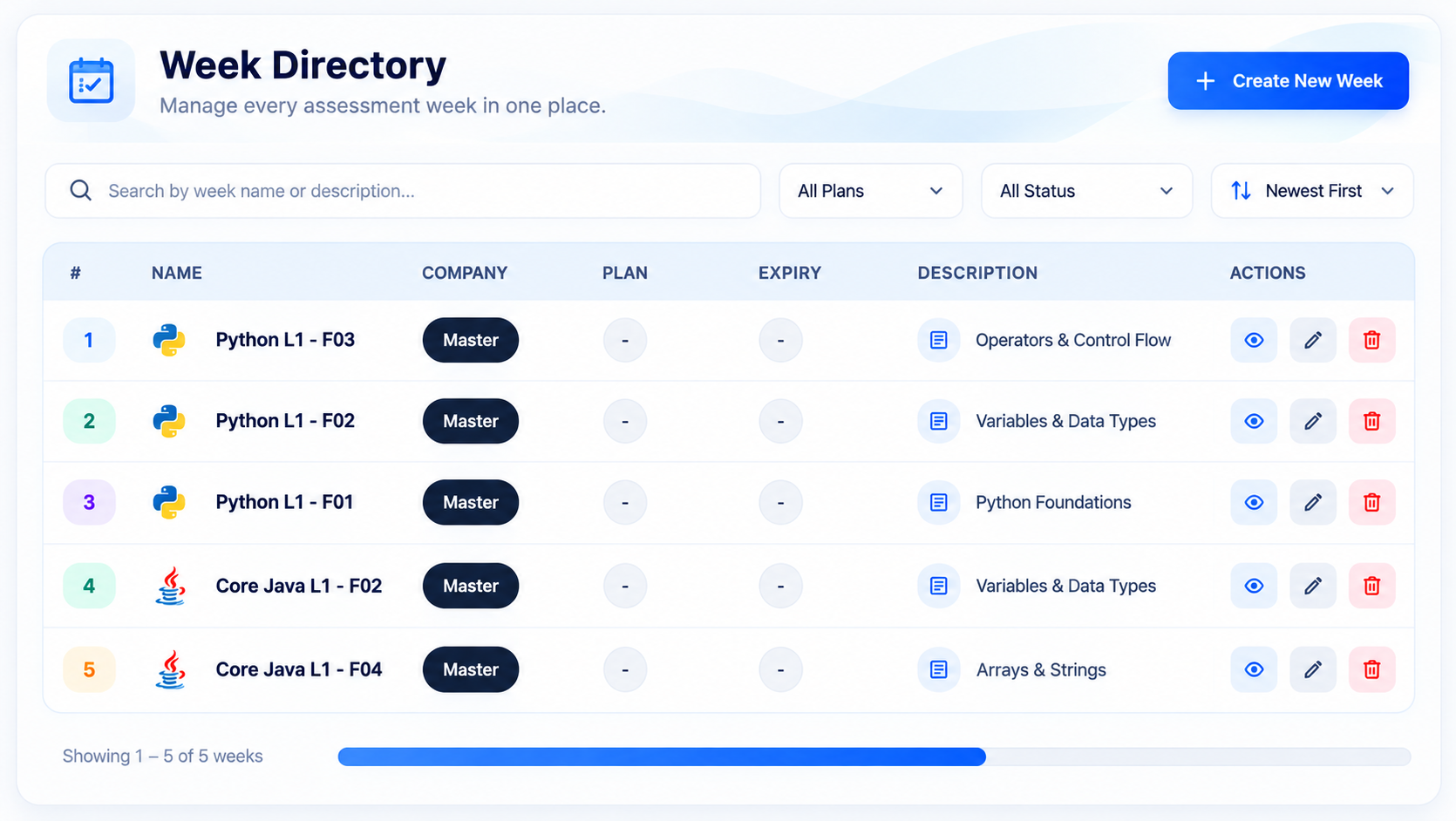
  • Single assessment-week directory
  • Company and plan visibility
  • Scales to large enterprise test libraries
AccessPro week directory
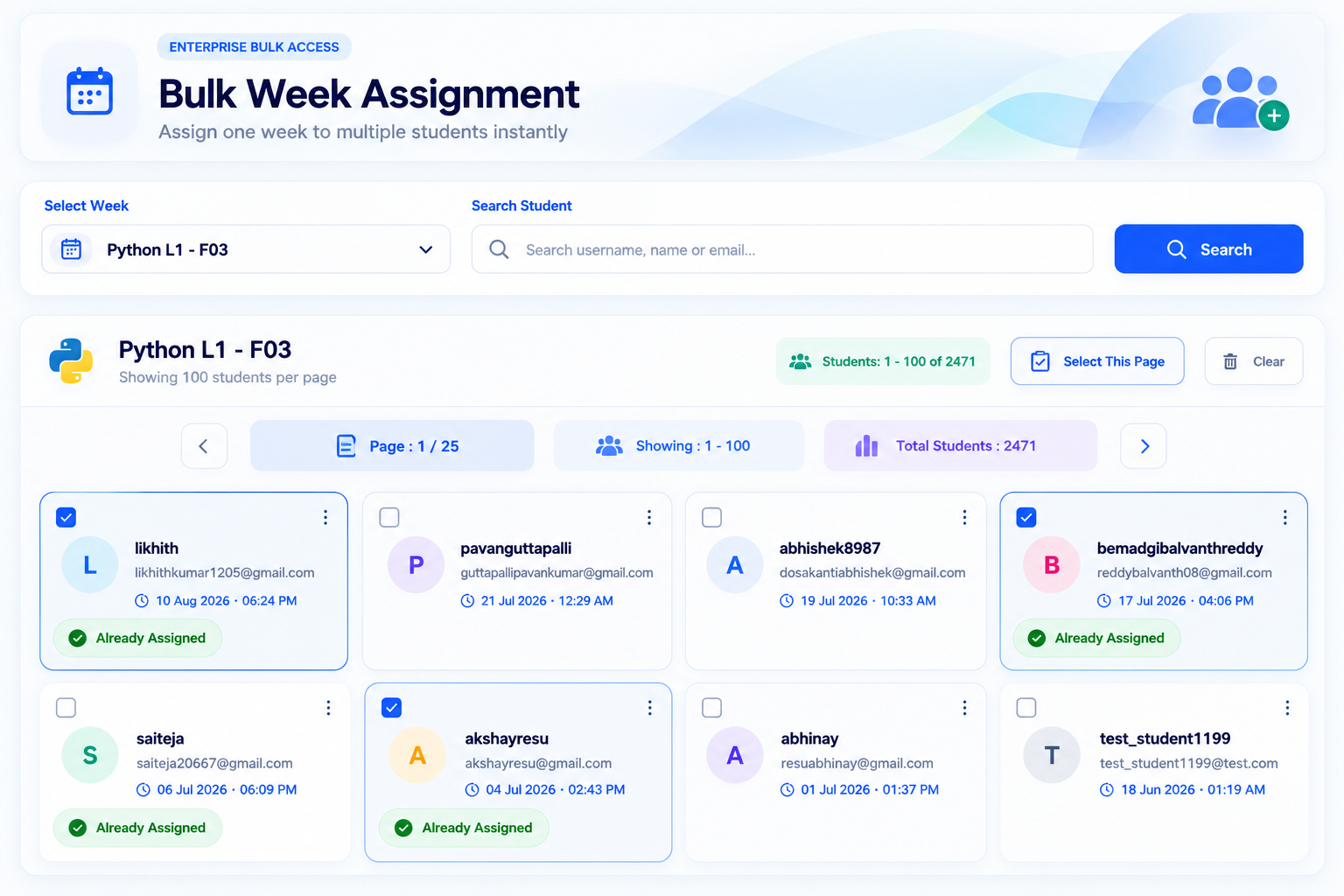
AccessPro bulk week assignment
Bulk Enterprise Operations

Assign assessments to large candidate groups faster.

Bulk assignment workflows reduce repetitive administration when enterprises need to distribute the same assessment to hundreds or thousands of candidates.

  • High-volume student assignment
  • Search and selection tools
  • Assignment-status visibility
Client Management

Control assessment access client by client.

Enterprise administrators can see current access, review assigned weeks and update client permissions from a single corporate access-management screen.
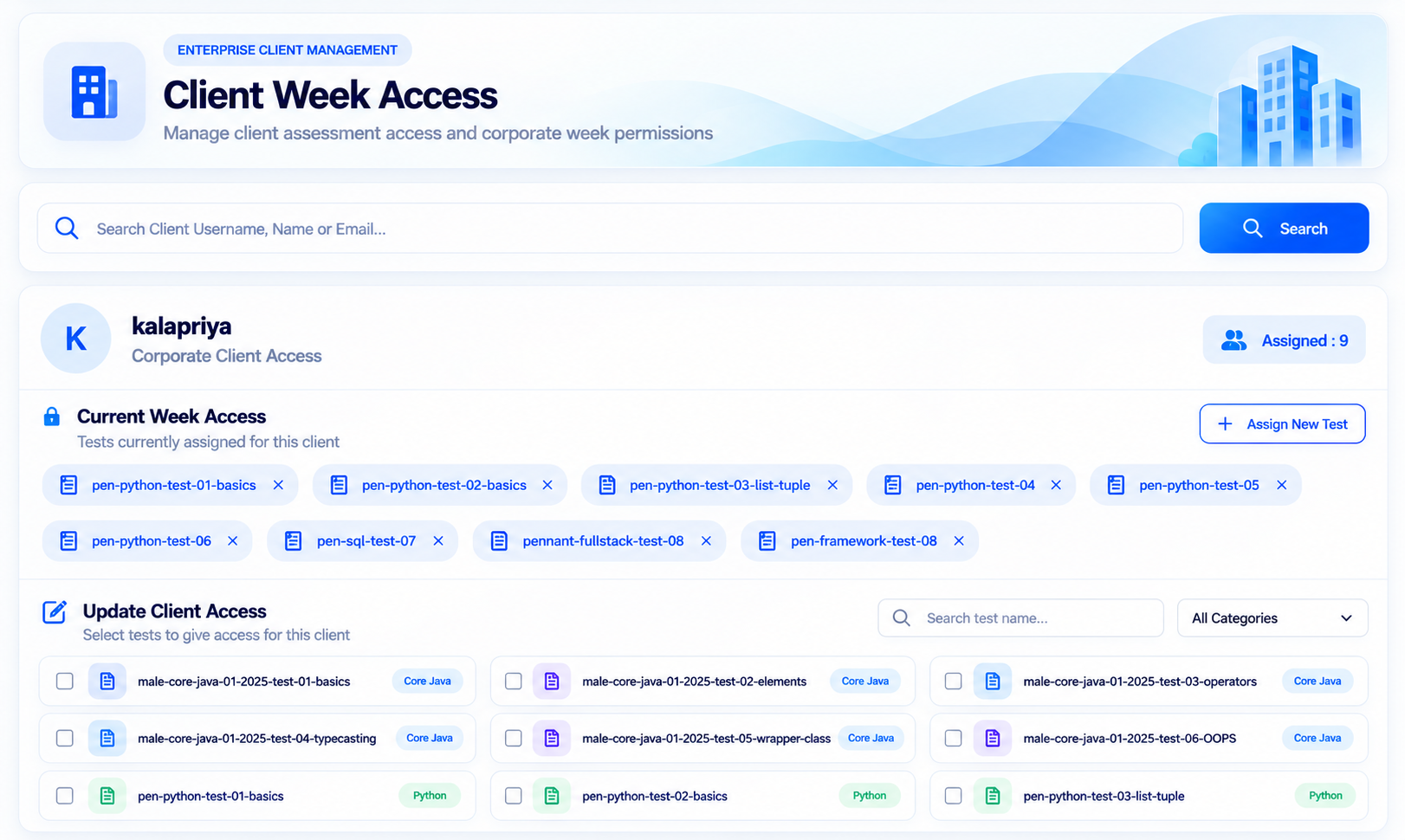
  • Per-client assessment permissions
  • Current access visibility
  • Structured multi-tenant administration
Built for enterprise account management.
AccessPro client week access
Proctoring Evidence

Review Candidate Evidence Without Leaving AccessPro

AccessPro keeps webcam and screen-recording evidence available for review when deeper verification is required. Hiring and examination teams can open, play and download recordings directly from the candidate monitoring workflow.
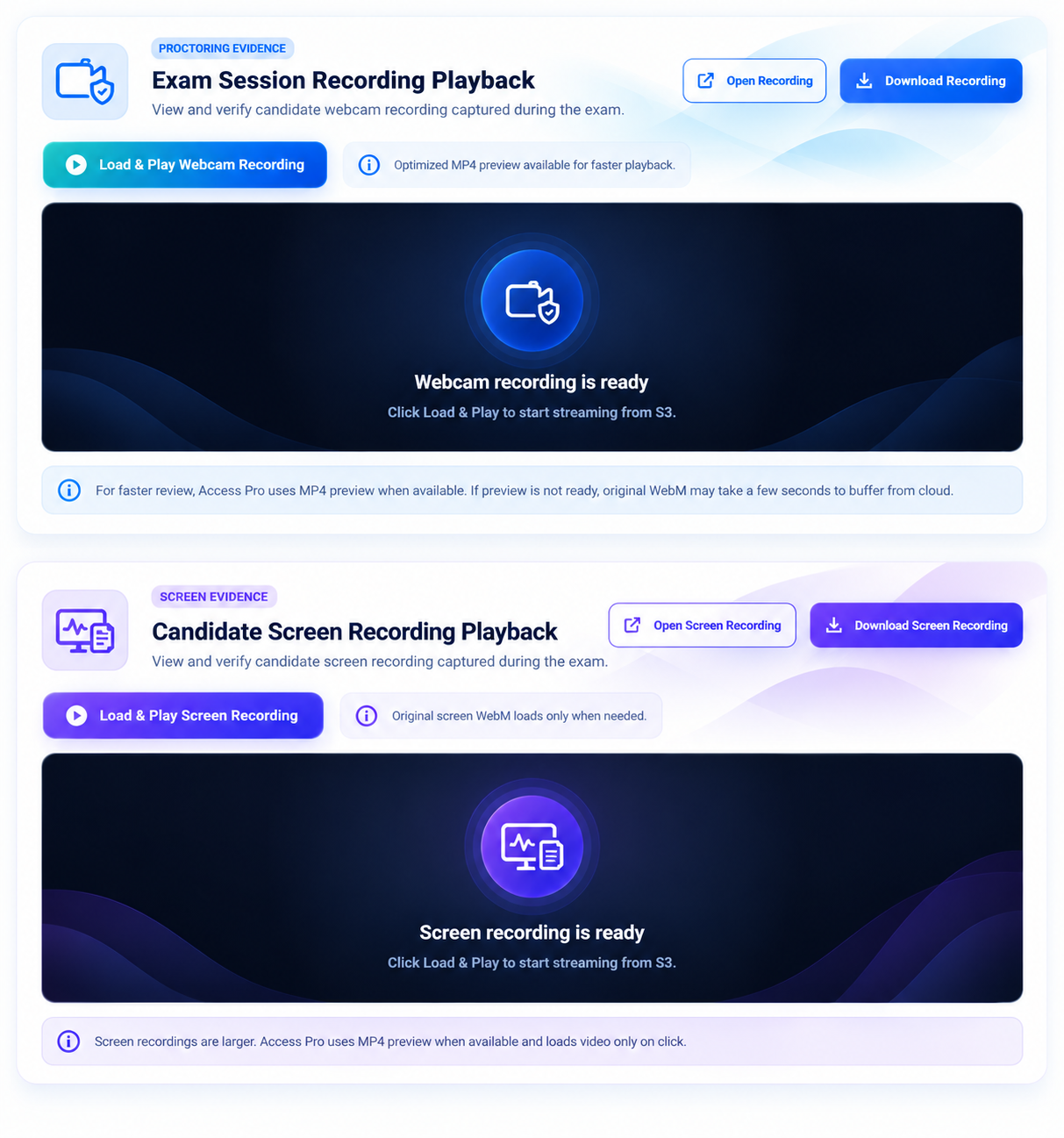
Webcam session recording review
Candidate screen recording evidence
Optimized playback for faster review
Direct open and download actions
AccessPro webcam and screen recording evidence
Integrated Coding Environment

Assess Real Coding Skills Inside AccessPro

Evaluate candidates with a built-in coding environment designed for practical programming assessments. Candidates can write, run and test code directly during the assessment without switching to external tools.
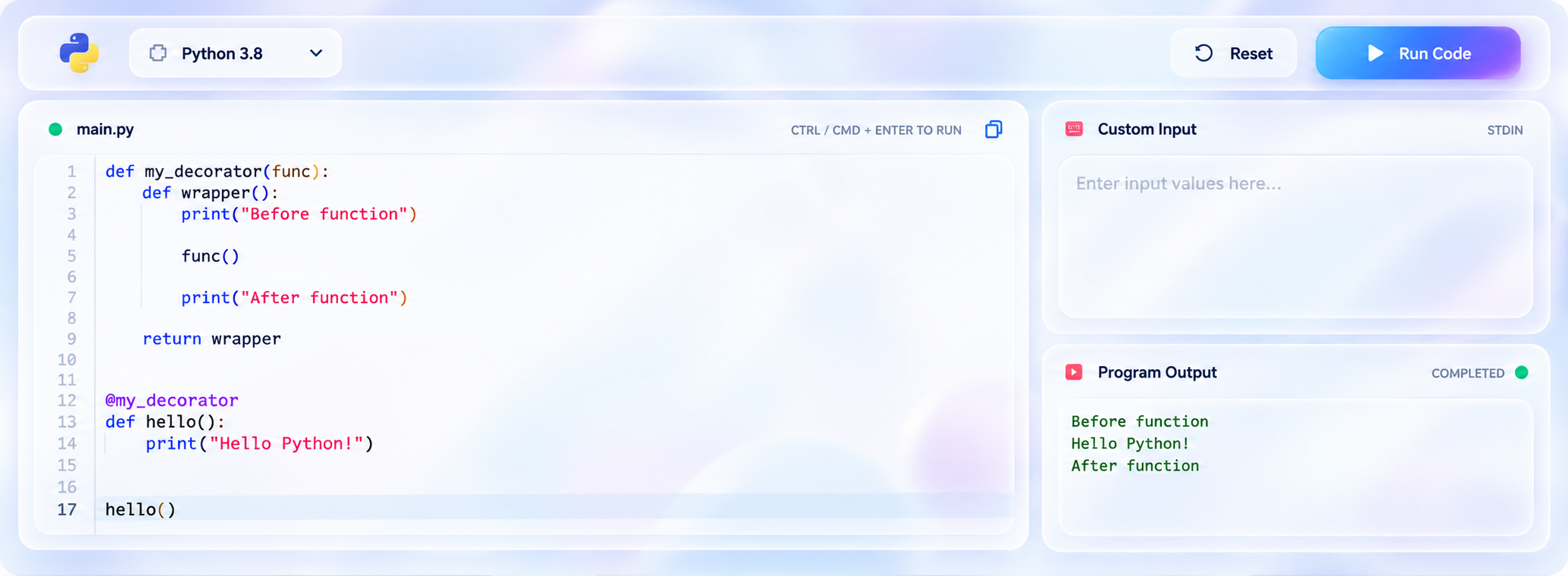
In-browser code execution
Multiple programming languages
Custom input & program output
Practical coding assessments
AccessPro integrated online compiler for coding assessments

Enterprise-Ready Assessments That Improve Hiring Decisions

Run secure online assessments, monitor candidate activity, evaluate real-world skills, and use performance insights to make faster, more confident hiring decisions.

Secure Online Assessments

Create coding, MCQ, aptitude and
role-based assessments

AI Proctoring & Monitoring

Track tab switches, fullscreen exits,
webcam and screen activity

Candidate Talent Profiles

Review candidate profiles, resumes
and job-readiness details

Analytics & Hiring Insights

Compare scores, rankings and
assessment performance

Secure Access

Login to AccessPro

Students and candidates can securely access assessments and dashboards.

New to AccessPro? • Contact Us
Account Recovery

Forgot Password

Verify your registered email and mobile number to continue securely.

New Account

Create AccessPro Account

Verify your email and mobile number to create your assessment account.

Use a username, not an email. Do not include spaces.
Already have an account?